Vehicle Repair Invoice Template (Free Example for Mechanics & Auto Shops)
If you’ve ever finished a repair job and then struggled to explain the charges clearly, you’re not alone.
Most mechanics and auto shop owners don’t have a problem doing the work — the real challenge is turning that work into a clean, professional invoice that customers actually understand.
And here’s the thing:
👉 Confusing invoices slow down payments.
When a customer sees a vague line like “Repair – $300,” they hesitate. They ask questions. Sometimes they delay payment altogether.
A proper vehicle repair invoice template solves this problem. It helps you break down parts, labor, and services in a way that builds trust and makes payment straightforward.
What Is a Vehicle Repair Invoice?
A vehicle repair invoice is a document that clearly outlines the work performed on a vehicle along with the cost of each service, part, and labor involved.
It acts as:
a payment request for your business
a record of service for your customer
Unlike a simple receipt, a repair invoice explains what was done and why it costs what it costs.
For example, replacing brake pads isn’t just a single charge. It includes parts, labor, and sometimes additional adjustments. A well-structured invoice makes all of this visible.
Why Clear Invoices Matter in Auto Repair
In the repair business, trust is everything.
Customers often don’t fully understand the technical side of repairs. That means they rely on your invoice to explain the work in simple terms.
When your invoice is clear:
customers feel confident about the charges
disputes are reduced
payments happen faster
When it’s unclear:
customers hesitate
you get follow-up questions
payments get delayed
👉 The bottom line is simple: a good invoice saves time on both sides.
What Should a Vehicle Repair Invoice Include?
A strong invoice doesn’t need to be complicated — it just needs to be structured properly so the customer can quickly understand the charges.
Here’s what every professional vehicle repair invoice should include:
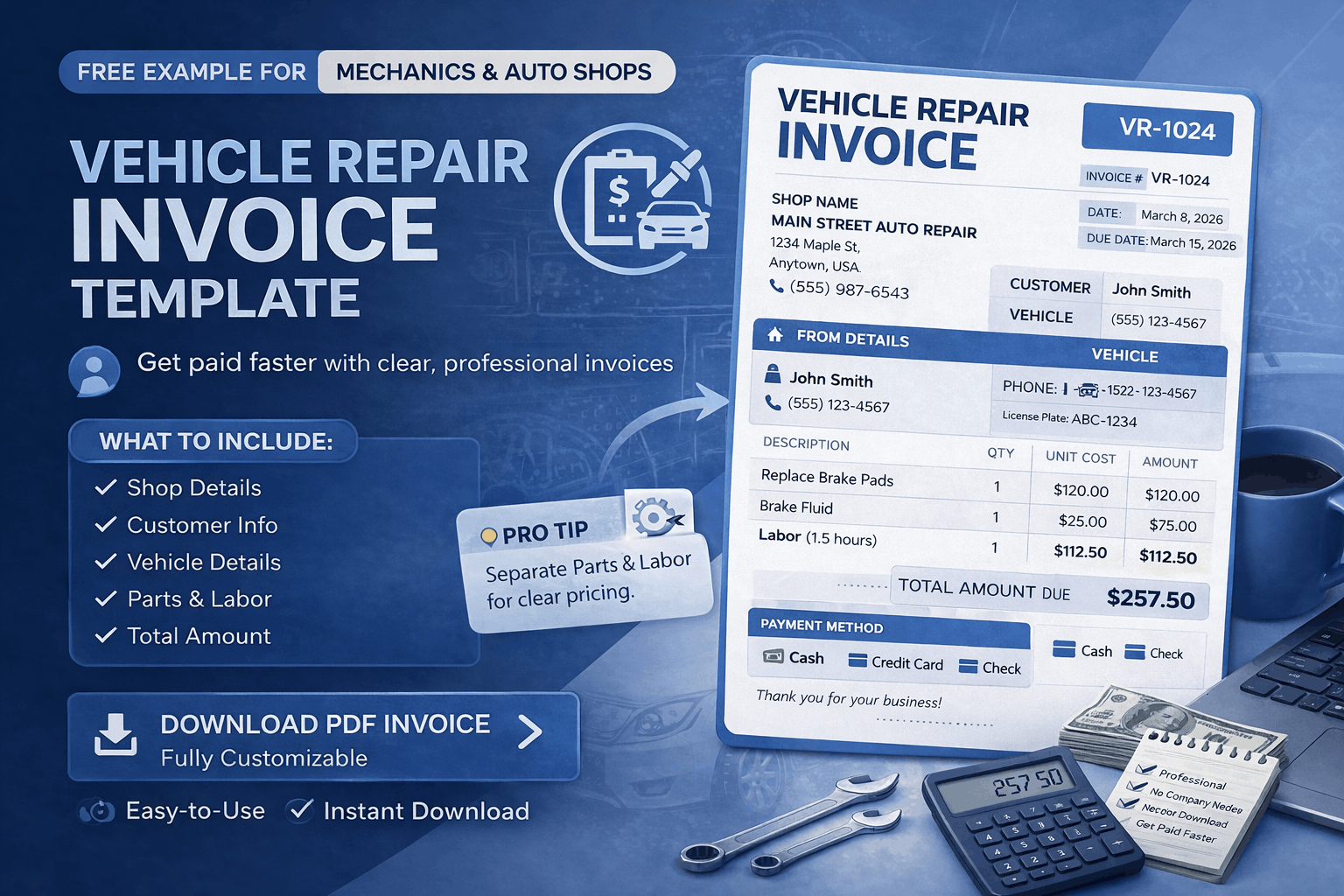
Business Details – Your shop name, phone number, and address so the customer knows exactly who provided the service
Customer Information – The client’s name and contact details for proper documentation
Vehicle Information – Model, year, or registration number to clearly identify the job
Service Description – A breakdown of repairs performed in simple language
Parts & Materials – Each part used along with its cost
Labor Charges – Time-based or fixed labor costs, clearly separated
Invoice Number & Date – Helps track and organize transactions
Total Amount – Final payable amount
Payment Method – Clear instructions on how to pay
👉 Pro Tip: Always separate parts and labor. This single change can dramatically increase customer trust and reduce confusion.
Real Example of a Vehicle Repair Invoice
Let’s make this practical.
Imagine a customer comes in for a brake repair. A clear invoice might look like this:
Customer: John Smith
Vehicle: Toyota Corolla 2018
Service: Brake pad replacement
Parts: Brake pads – $120
Labor: Installation – $80
Total: $200
Now compare that with:
👉 “Car repair – $200”
The first version builds confidence. The second raises questions.
👉 Clarity is what gets invoices approved quickly.
Types of Vehicle Repair Invoices
Different types of repair work require slightly different invoice structures. Using the right format helps you present your work more clearly.
1. General Repair Invoice
Used for everyday repairs like brake fixes, oil changes, or engine work. These usually include a simple breakdown of parts and labor.
2. Electrical Repair Invoice
Used for wiring, battery replacement, or diagnostics. These often need more detailed explanations because the work is less visible.
3. Maintenance Invoice
Ideal for routine services like inspections or servicing packages. These are simpler but still need clear service descriptions.
4. Parts & Labor Invoice
This is the most common and trusted format.
It clearly separates:
Parts Costs
Labor Charges
👉 Pro Tip: If you’re unsure, always use the parts + labor format. It’s the easiest for customers to understand.
How to Create a Vehicle Repair Invoice (Step-by-Step)
You don’t need a complicated system — just a clear one.
Step 1: Add Your Business Details
Include your shop name, contact information, and logo if available. This builds credibility immediately.
Step 2: Add Customer and Vehicle Information
Include the customer’s name and basic vehicle details. This helps avoid confusion later.
Step 3: List All Repairs Clearly
Break down each service performed. Avoid combining everything into one line.
Step 4: Separate Parts and Labor
Always show parts and labor individually. This makes your pricing transparent.
Step 5: Highlight the Total Amount
Make the final amount easy to find and read.
Step 6: Add Payment Instructions
Clearly mention how the customer can pay.
👉 Pro Tip: The easier your invoice is to read, the faster your customer will pay.
Common Mistakes Mechanics Make When Creating Invoices
Most invoice problems come from small mistakes that create confusion.
Here are the common ones — and how to fix them:
Combining All Costs into One Total – This makes customers question your pricing
👉 Break costs into parts and labor for transparencyUsing Vague Descriptions – “Repair work” doesn’t explain anything
👉 Be specific about what was fixed or replacedSkipping Vehicle Details – Makes it harder to track jobs later
👉 Always include model or registration numberNo Payment Instructions – Customers don’t know what to do next
👉 Clearly mention payment methodsMissing Invoice Numbers – Hard to track payments over time
👉 Use a simple numbering system
👉 Pro Tip: If your customer has to ask questions, your invoice isn’t clear enough.
Vehicle Repair Invoice Template vs Invoice Generator
A lot of shops start with templates — and that’s completely fine.
But templates require:
manual editing
manual calculations
consistent formatting effort
An invoice generator simplifies everything.
It:
calculates totals automatically
keeps formatting consistent
saves time on every invoice
👉 For busy shops, this can save hours every week.
How Professional Invoices Build Customer Trust
Customers don’t just judge your work — they judge how you present it.
A clean and structured invoice shows:
organization
professionalism
transparency
This leads to:
repeat customers
better reputation
fewer disputes
👉 Your invoice is part of your service experience.
If you want to create a clean and professional repair invoice without dealing with formatting or calculations, you can use a simple invoice generator.
It helps you create, download, and send invoices in minutes — while keeping everything clear and structured.
Frequently Asked Questions
What is a vehicle repair invoice?
A vehicle repair invoice is a document that lists all services performed on a vehicle, including parts and labor costs. It helps both the mechanic and the customer keep a clear record of the work and payment.
What should be included in a mechanic invoice?
A mechanic invoice should include business details, customer information, vehicle details, service descriptions, parts used, labor charges, total cost, and payment method. These elements ensure clarity and professionalism.
How do I create an auto repair invoice?
You can create an auto repair invoice by listing the work performed, breaking down parts and labor, and calculating the total. Using an online invoice generator makes this faster and more accurate.
Why is it important to separate parts and labor?
Separating parts and labor helps customers understand how the total cost is calculated. It increases transparency and reduces the chances of disputes.
Can I use a template for vehicle repair invoices?
Yes, templates can be used, but they require manual updates and calculations. An invoice generator is often a better option because it automates the process and ensures consistency.
How can I make my repair invoices look professional?
Use clear formatting, detailed descriptions, and proper structure. Including vehicle details and separating costs also improves professionalism and clarity.