How to Send an Invoice to a Client (Step-by-Step Guide + Real Email Examples)
Let’s be honest, sending an invoice shouldn’t feel like a task you avoid until the last minute.
But for a lot of freelancers and small business owners, it does.
You finish the work… and then suddenly you're stuck wondering:
“Do I just email it?”
“What should I even write?”
“Am I missing something important?”
If you’ve ever felt that hesitation, you’re not alone.
The good news? Once you understand a simple system, sending invoices becomes quick, professional, and — most importantly — helps you get paid faster.
Why Sending an Invoice Properly Actually Matters
A lot of people treat invoices like a formality. Something you “just send.”
But here’s the reality:
👉 The way you send your invoice directly affects how fast you get paid.
If your invoice is unclear, messy, or missing details, your client has to stop and think. And the moment they pause… your payment gets delayed.
On the other hand, a clean and professional invoice makes everything easy:
The client knows exactly what they’re paying for
The amount is clear
The due date is obvious
That’s how you remove friction from the payment process.
Step-by-Step: How to Send an Invoice (The Simple Way)
You don’t need a complicated system. You just need a repeatable one.
Step 1: Create a Clean, Professional Invoice
Before sending anything, make sure your invoice is actually ready.
At minimum, it should include:
your name or business name
client details
invoice number
date and due date
clear description of work
total amount
payment method
👉 Pro tip: If you’re still using Word or Excel, you’re making this harder than it needs to be. A simple invoice generator saves time and avoids formatting issues.
Step 2: Always Send It as a PDF
This is one of those small things that makes a big difference.
PDF invoices:
look the same on every device
don’t break formatting
feel more professional
Sending a Word file or raw text invoice can make your work look unfinished — even if the work itself was great.
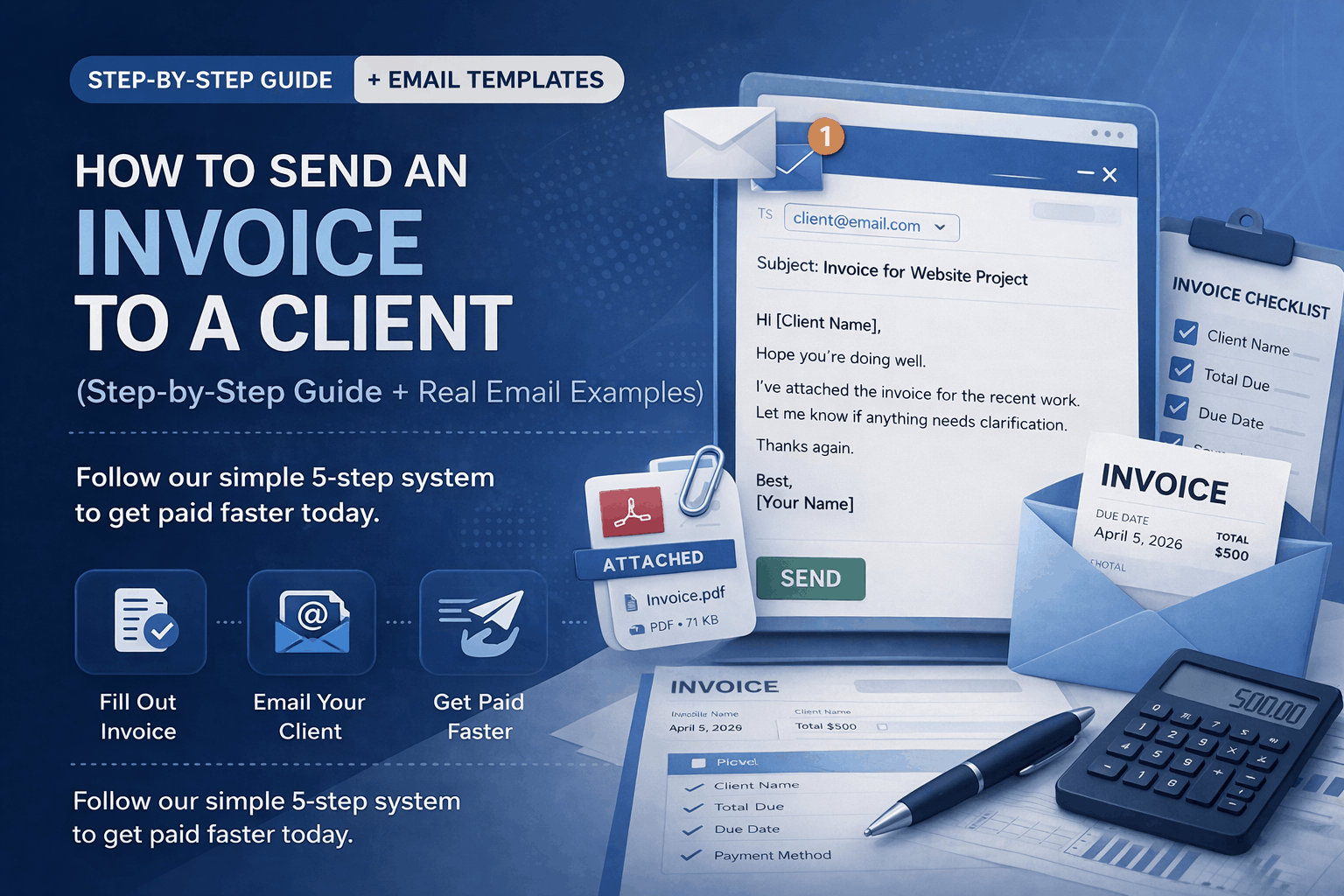
Step 3: Write a Simple, Clear Invoice Email
This is where most people overthink.
You don’t need a long explanation. You don’t need fancy wording.
👉 You just need to be clear and direct.
Your email should:
mention the invoice
include the amount (optional but helpful)
attach the file
tell them what to do next
We’ll look at real examples below.
Step 4: Send It Immediately (Don’t Delay This)
One of the biggest mistakes?
Waiting too long.
You finish the work… and think:
“I’ll send it later.”
Later becomes tomorrow. Then next week.
👉 And now your payment is delayed for no reason.
Best practice: Send the invoice right after the work is completed.
That’s when your value is still fresh in the client’s mind.
Step 5: Follow Up (Without Feeling Awkward)
A lot of people hesitate to follow up because it feels uncomfortable.
But here’s the truth:
👉 Following up is part of doing business — not being rude.
Sometimes clients are just busy. A simple reminder brings your invoice back to their attention.
How to Compose an Invoice Professionally (What Most People Get Wrong)
Creating an invoice is one thing.
Composing it properly is what makes it effective.
A weak invoice looks like this:
“Service – $500”
A strong invoice looks like this:
“Website design and landing page development (June project) – $500”
See the difference?
👉 The second version:
builds trust
reduces questions
makes approval easier
Note from Experience
Clients don’t like guessing what they’re paying for.
The more clarity you give, the faster they move.
How to Write an Invoice Email (Real Examples)
Let’s make this practical.
Simple & Professional
Subject: Invoice for [Project Name]
Hi [Client Name],
Hope you’re doing well.
I’ve attached the invoice for the recent work. Let me know if anything needs clarification.
Thanks again.
Best,
[Your Name]
Slightly More Detailed
Subject: Invoice #1023 – [Your Business Name]
Hi [Client Name],
Sharing the invoice for the completed work.
The total amount is [Amount], due by [Date].
All payment details are included in the invoice.
Let me know if you need anything.
Best,
[Your Name]
Follow-Up Email (After Due Date)
Subject: Quick Reminder – Invoice #1023
Hi [Client Name],
Just a quick reminder regarding the invoice I shared earlier.
Let me know if everything is on track or if you need anything from my side.
Appreciate it.
Best,
[Your Name]
Common Mistakes That Delay Payments
These are small mistakes — but they cost you time and money.
One of the biggest issues is being too vague.
If your invoice isn’t clear, clients hesitate.
Another problem is missing details:
no due date
no payment method
unclear breakdown
And sometimes, it’s just poor timing — sending the invoice too late.
👉 The bottom line is: clarity + timing = faster payments.
How to Get Paid Faster (Simple but Effective)
You don’t need complex systems to improve payments.
A few small habits go a long way:
Send invoices immediately
Keep everything simple and readable
Offer easy payment options
Follow up politely
That’s it.
Most payment delays aren’t complicated problems — they’re small process gaps.
Invoice vs Receipt (Quick Clarification)
A lot of people mix these up.
Here’s the simple version:
Invoice = request for payment
Receipt = confirmation of payment
You send an invoice first.
After the client pays, you send a receipt.
If you want to skip the formatting headache and just create a clean invoice quickly, you can use a simple invoice generator.
It lets you create, download, and send invoices in minutes — without overthinking the process.
Frequently Asked Questions
How do you send an invoice to a client?
You create a professional invoice with all the required details and then send it via email, usually as a PDF attachment. The email should be short and clear, letting the client know what the invoice is for and when the payment is due. Keeping things simple helps avoid confusion and speeds up payment.
What is the best way to send an invoice?
The best way is to send it as a PDF through email. This keeps the formatting intact and ensures the invoice looks professional. Including a short message in the email with payment details makes it easier for the client to take action quickly.
How do I write an invoice email?
Write your invoice email like a normal message — clear, polite, and to the point. Mention the invoice, attach the file, and give any necessary payment information. You don’t need long explanations; clarity works better than complexity.
When should I send an invoice?
The best time to send an invoice is immediately after completing the work. This keeps the project fresh in the client’s mind and starts the payment process right away. Delaying invoices often leads to delayed payments.
What format should I use to send an invoice?
PDF is the most recommended format because it preserves formatting and looks professional on all devices. It also prevents accidental edits, making it more reliable than editable formats like Word or Excel.
What should be included in an invoice?
A proper invoice should include your details, client information, a clear description of the work, total amount, due date, and payment method. These elements ensure that the client understands exactly what they are paying for.